
AI 3D Rendering for Home Design: A Practical Guide for 2026
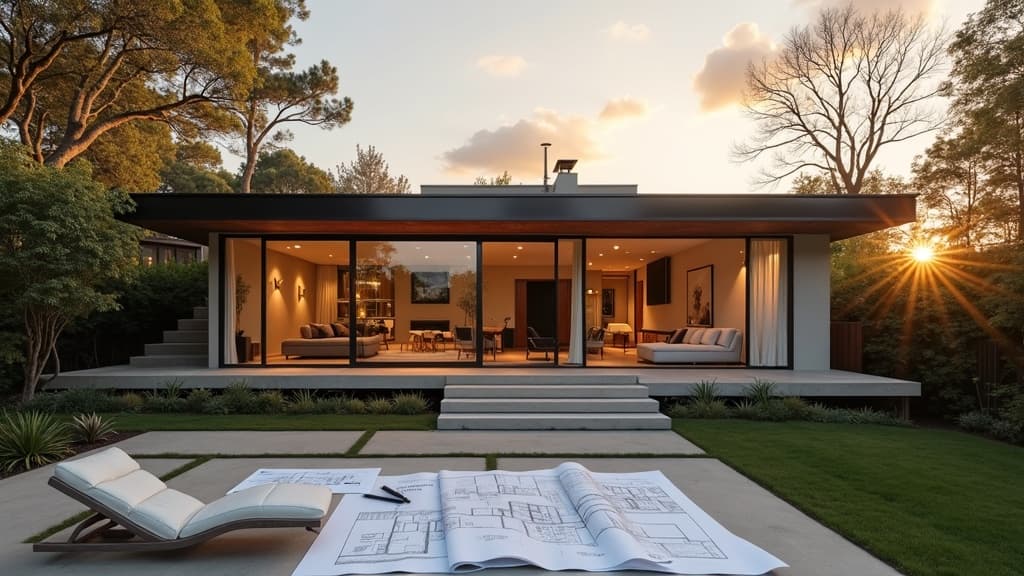
Photorealistic 3D rendering used to be a specialist craft: a visualizer charged a few thousand dollars and took a week to turn a floor plan into a still image a homeowner could actually understand. AI 3D rendering has compressed that loop into minutes. This guide covers what AI 3D rendering for home design actually does, how it compares with traditional rendering, where the current tools fall short, and the practical workflow the AI Renovation 3D layout workspace encourages so you move from a sketch to a walkable 3D scene in one sitting.
What AI 3D rendering actually does
An AI render model ingests a 2D floor plan or a written description and produces a photoreal 3D scene in seconds. It combines a geometry model (walls, ceilings, furniture volumes) with a neural renderer (lighting, materials, reflections). Because the model has studied millions of interior photographs, it fills in details homeowners rarely specify: morning light on an oak floor, a matte wall next to a glossy island, a rug softening a concrete slab. The free online 3D home design tool shows the output immediately after you load a plan.
The distinction between deterministic CAD rendering and AI rendering matters. A CAD render computes every ray of light from first principles, which is accurate but slow and demands a complete material specification. An AI render is probabilistic: it guesses the scene using learned priors. You lose some control over material codes but gain speed, and the result often looks more natural than an under-specified CAD scene. An AI home design tool leans on this trade-off to make visualization accessible to non-specialists.
Why homeowners care about 3D rendering
Most design decisions fail on paper because humans do not read 2D plans fluently. A 70 square meter open-plan kitchen looks identical to a 90 square meter one in plan view but feels completely different in person. 3D rendering turns abstract square meters into a space you can evaluate with your eyes. It also catches issues that only appear once geometry becomes volume: a pendant hanging too low, a sill landing behind a backsplash, a staircase eating its own clearance. The AI interior design workspace walks through those checks as part of the render pass.
Rendering also changes how decisions get made between homeowner, designer, and builder. Instead of arguing over a plan, everyone looks at the same picture. Change requests shift from vague ("the kitchen feels cramped") to specific ("move the island 300mm toward the window"). The virtual renovation tool is designed for this kind of back-and-forth during specification, before any trades are booked.

Traditional rendering vs AI rendering
The two approaches sit on different points of the speed-accuracy curve. Traditional pipelines (V-Ray, Corona, Lumion) remain the standard for commercial visualization because they let you control every material, every light, every bounce. AI rendering skips that configuration and produces something that looks right almost immediately. For a homeowner deciding between two kitchen layouts, AI is dramatically faster. For a developer preparing brochure imagery, traditional rendering still wins on controllability. A practical middle path is to use an AI home redesign tool for early iteration, then hand the locked design off for traditional rendering if marketing demands it.
Speed and cost
A traditional photoreal interior render takes a skilled visualizer four to eight hours per scene once the model is ready, and often a week of elapsed time. AI rendering produces a comparable image in under a minute. The gap in cost is just as large: AI passes typically run on credits that cost cents per image, while traditional rendering bills at designer day rates. For exploratory work, the AI interior tool lets you run ten variations for less than the cost of a single traditional pass.
Controllability and fidelity
Traditional rendering wins when you need pixel-perfect material fidelity: a specific oak board with a specific stain, a wallpaper pattern that has to match an existing sample. AI rendering approximates these inputs, which is fine for design exploration but insufficient for contractual marketing material. The house design AI tool is explicit about this limitation in its export guidance.

The four-stage AI 3D rendering workflow
A good AI rendering session has the same four stages regardless of the tool you pick. Skipping any of them is the most common reason first-time users produce renders that look impressive but do not actually inform a decision. The AI architecture design generator structures its interface around these four stages on purpose.
- Provide a plan or reference. The render is only as good as the geometry you feed it. A tight floor plan with accurate wall positions, door swings, and window placements produces a coherent scene; a vague sketch produces a scene that contradicts itself room to room.
- Set the style prompt. A short written brief ("Scandinavian minimalism, oak floors, white walls, morning light") lets the renderer pick consistent finishes. Vague prompts produce generic renders that feel like stock photos.
- Generate multiple angles. One still from the doorway is not enough. Ask for the entry view, the kitchen-to-dining axis, a corner perspective, and an overhead cutaway. Problems are usually visible in one angle and invisible in another.
- Iterate on materials and light. Change the floor, the cabinetry, the pendant light, the time of day, and re-render. A finished AI render pass has five to ten variants, not one hero shot.
The fourth stage is where most sessions stop short. It is tempting to accept the first beautiful render, but rendering is most valuable when it exposes what you are really choosing between. Pushing through five to ten variants in a tool like the AI blueprint maker almost always shifts the final spec compared with stopping after variant one.

Where AI 3D rendering falls short today
The models are strong at common residential scenes (living rooms, kitchens, bedrooms, bathrooms) and weaker on anything unusual: double-height spaces, heavy built-in cabinetry, unusual ceiling geometry, indoor-outdoor transitions with complex landscaping. If your project sits in one of those categories, expect more artifacts: furniture that levitates slightly, reflections that do not match geometry, shadows that fall in two directions at once. A useful rule of thumb from users of the AI house plan design guide is to treat anything beyond a standard single-family interior as a first-draft render rather than a final.
The second gap is cross-scene consistency. AI renderers often produce five beautiful images that are each internally coherent but collectively inconsistent: flooring warmth drifts between kitchen and dining, wall colors shift subtly, windows pick up different framing. Tools are getting better at scene-locking, but projects where consistency matters still need manual correction. The kitchen remodel planning guide covers how to sequence render checks so inconsistencies get caught before you commit to finishes.
Practical tips for a first AI render session
- Start with accurate measurements. The render inherits every dimensional error in your plan. A plan that is 200mm out will produce renders that feel subtly off.
- Write a proper style brief. Three concrete references beat ten vague adjectives. "Like a Japanese minimalist tea house with oak and warm white walls" produces a more coherent scene than "modern and warm".
- Generate the four canonical angles every time. Entry, kitchen, dining, bedroom. It is the fastest way to surface layout issues.
- Change one variable at a time. If you change the floor, the cabinetry, and the lighting all at once, you will not know which change drove the improvement.
- Keep a render diary. Save every generation with a one-line note. You will refer back to them when the builder asks "which version was that?".
- Do not treat the first render as the answer. The value is in the comparison set, not the single image.

Where AI 3D rendering is heading
The next year of model releases will close two gaps: scene consistency across angles, and tighter control over exact materials without CAD specification. Direct export to immersive walkthroughs is already landing, turning a batch of renders into a scene you can pan through on a phone. Spec-grade renders (the kind a builder can quote from) will take longer. For now, use AI rendering for the design-decision phase and lean on traditional pipelines when the final marketing image must be pixel perfect. AI Renovation combines plan import, style control, and multi-angle rendering in one place, keeping the homeowner workflow in a single tool from sketch to walkthrough.
Frequently asked questions
What is AI 3D rendering?
AI 3D rendering uses neural networks trained on large image datasets to produce photoreal interior and exterior scenes from a floor plan, a rough geometry model, or a written brief, without the lengthy manual setup traditional CAD rendering requires for materials, lighting, and camera work.
How accurate are AI 3D renders?
Dimensionally accurate if your input plan is accurate, and visually convincing for standard residential scenes. Materials and finishes are approximations, so AI renders are excellent for design decisions and weaker as contractual marketing or tender-grade imagery without additional work.
Do I need a 3D model to use AI rendering?
Not always. Many tools accept a 2D floor plan plus a short style brief and infer the third dimension. More advanced workflows let you upload a SketchUp or Revit model for tighter control, but this is optional for a homeowner doing early exploration rather than final documentation.
How long does an AI render take?
Most photoreal residential scenes render in under a minute per angle on current hardware. A full five-angle pass takes around five minutes, compared with four to eight hours for a single angle in a traditional pipeline with a human visualizer.
Can AI rendering replace a professional visualizer?
For early design exploration, yes. For luxury marketing imagery, brochure renders, or council submission visuals, not yet. Professionals still win on material fidelity, scene consistency, and the curated composition skills that come from years of framing interior photography.
What file formats do AI rendering tools export?
Most export PNG or JPEG stills for presentation, MP4 for simple walkthroughs, and some export lightweight GLB or USDZ for viewing in AR on a phone. Check the export options before you invest a full session; not every tool covers every format.
Is AI 3D rendering suitable for renovations as well as new builds?
Yes. The trick with renovations is to describe the existing footprint accurately (photos and measurements help) before you ask the tool to generate proposed states. The accuracy of the "before" input drives how useful the "after" renders end up being.
How much does AI 3D rendering cost?
Most consumer tools charge a monthly subscription in the tens of dollars, or per-credit pricing that lands at cents per image. Traditional outsourced rendering runs hundreds to thousands of dollars per angle, so for exploratory work the cost gap is usually one or two orders of magnitude.
Ready to get started? Try our 3D Home Design Free Online.
Frequently asked questions
What is AI 3D rendering?
AI 3D rendering uses neural networks trained on large image datasets to produce photoreal interior and exterior scenes from a floor plan, a rough geometry model, or a written brief, without the lengthy manual setup traditional CAD rendering requires for materials, lighting, and camera work.
How accurate are AI 3D renders?
Dimensionally accurate if your input plan is accurate, and visually convincing for standard residential scenes. Materials and finishes are approximations, so AI renders are excellent for design decisions and weaker as contractual marketing or tender-grade imagery without additional work.
Do I need a 3D model to use AI rendering?
Not always. Many tools accept a 2D floor plan plus a short style brief and infer the third dimension. More advanced workflows let you upload a SketchUp or Revit model for tighter control, but this is optional for a homeowner doing early exploration rather than final documentation.
How long does an AI render take?
Most photoreal residential scenes render in under a minute per angle on current hardware. A full five-angle pass takes around five minutes, compared with four to eight hours for a single angle in a traditional pipeline with a human visualizer.
Can AI rendering replace a professional visualizer?
For early design exploration, yes. For luxury marketing imagery, brochure renders, or council submission visuals, not yet. Professionals still win on material fidelity, scene consistency, and the curated composition skills that come from years of framing interior photography.
What file formats do AI rendering tools export?
Most export PNG or JPEG stills for presentation, MP4 for simple walkthroughs, and some export lightweight GLB or USDZ for viewing in AR on a phone. Check the export options before you invest a full session; not every tool covers every format.
Is AI 3D rendering suitable for renovations as well as new builds?
Yes. The trick with renovations is to describe the existing footprint accurately (photos and measurements help) before you ask the tool to generate proposed states. The accuracy of the "before" input drives how useful the "after" renders end up being.
How much does AI 3D rendering cost?
Most consumer tools charge a monthly subscription in the tens of dollars, or per-credit pricing that lands at cents per image. Traditional outsourced rendering runs hundreds to thousands of dollars per angle, so for exploratory work the cost gap is usually one or two orders of magnitude.