
Design Your Own House Online Free: A 2026 Homeowner Walkthrough

Designing your own house online is now possible in a single afternoon, and the free tier of most tools is good enough to produce a usable draft before you ever call a professional. This guide walks through the actual workflow homeowners use in 2026: how to set the brief, which free tools to pair together, where the free tier quietly breaks down, and the point at which paying for a professional actually saves money. The AI Renovation house plans workspace is one option among several covered below.
Start with the brief, not the software
The biggest reason free house-design sessions fail is that people open a tool before they know what they are designing. A plan generated against a vague goal produces a vague plan. Write the brief on paper first. Cover site dimensions, block orientation, number of occupants, must-have rooms, indoor-outdoor flow, and a rough budget range. Once those are locked, an AI floor plan tool can turn them into candidate layouts in seconds rather than hours.
Be specific about constraints. "Three bedrooms, one with ensuite, open-plan living opening north, garage on the west boundary, 180 square meters" gives the generator enough to work with. "Modern family home, four beds, nice yard" does not. The difference shows up in the output within the first generation. For renovations, describe the existing footprint as faithfully as you can before asking for proposed changes; a good floor plan AI will honor the footprint you feed it and reshape the interior around it.
The free tools worth using, and what each one does best
No single free tool covers the whole design journey. The workflow that produces publishable-looking plans stitches together three to four specialized tools, each doing what it is best at. Here is the short list most homeowners land on in 2026.
- AI brief-to-layout generator. Turns a plain-language brief into five to ten candidate floor plans. Best used for the first pass only.
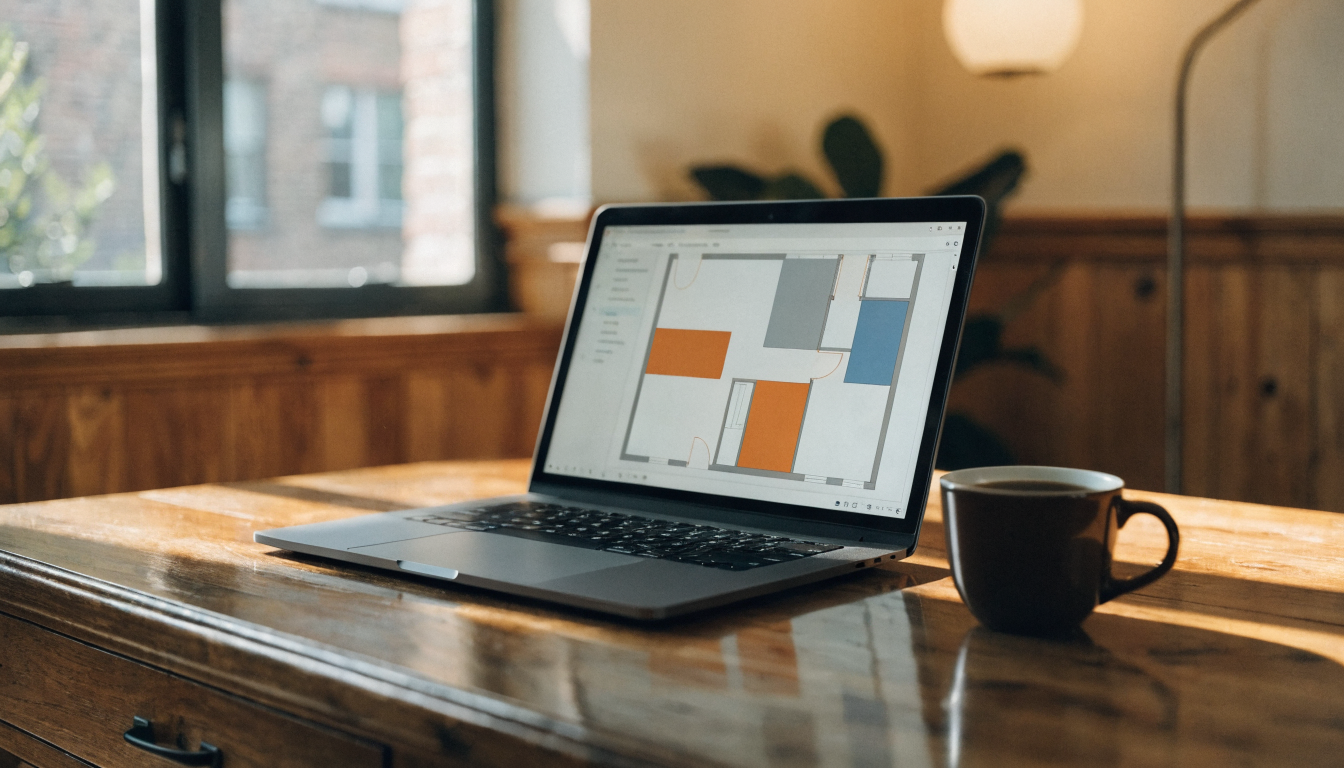
- 2D floor plan editor. Lets you drag walls, resize rooms, and fix the things the generator got wrong. A floor plan editor is where most of your actual time is spent.
- 3D visualizer. Converts the locked 2D plan into a walkthrough so you can catch issues that only appear in three dimensions.
- Exterior or style studio. Lets you test facade materials, rooflines, and window placements against the locked plan.
Most free tiers cap something: the number of generations per day, the resolution of the export, or access to the 3D renderer. The AI architecture design generator and AI blueprint maker both sit in this category, where the free tier is generous enough for iteration but gated at the final export. That is usually the right split for homeowners: you want unlimited drafts, not unlimited production-ready PDFs.
The free-to-pro workflow in five stages
A repeatable sequence beats hunting for one magic tool. The stages below are the pattern that most house design AI sessions follow, whether you know it or not, and running them in order is what separates a usable draft from a pile of screenshots.
- Brief. Ten minutes on paper, before any tool is opened.
- Generate candidates. Ask for five to ten variations. You want the spread, not a single answer.
- Refine one candidate in 2D. Pick the best two, combine the strongest elements, iterate on the winner.
- Validate in 3D. Walk through the plan, not just look at it. Check ceiling heights, window sight lines, and how circulation feels.
- Export and hand off. Send the plan plus a one-page brief to a builder or draftsperson for the final pass.
Stages four and five are where free users most often cut corners. Skipping the 3D check is how people end up with a staircase that lands badly, a kitchen island that makes the room feel cramped, or a window whose sill collides with a bench. A free 3D home design tool is the easiest way to catch those problems before the plan leaves your screen.
Where the free tier quietly breaks down
Free tiers are excellent for exploration and mediocre for anything that gets built. The moment you need a plan to be dimensionally exact, code-compliant, or signed off by a professional, the free tools reveal their limits. Most AI home design platforms will let you iterate for free, then charge for the production-ready export, which is usually the correct trade.
Three specific places the free tier falls short:
- Precision. Free exports often round dimensions, strip layers, or lose scale. A 2-centimeter drift in a kitchen plan is invisible on screen and expensive on site.
- Compliance. Setback rules, site coverage ratios, fire separation, energy ratings, and council overlays change by postcode. The generator rarely knows yours. Free blueprint makers typically flag this in the small print.
- Structure and services. Beam spans, truss layouts, hydraulic stacks, and electrical subpanels sit outside the model's training. Free tools show walls and rooms, not the things that hold them up.
These are not arguments against free tools. They are arguments for using free tools where they shine, which is iteration, and switching to paid or professional review where they do not, which is the stuff that gets built. A sensible split: produce ten free drafts in a 3D layout workspace, pick the best one, then pay once for professional sign-off rather than paying for a tool that does neither job well.
A checklist before you open the tool
Pre-work matters more than tool choice. An hour preparing the brief produces a dramatically better first draft than an hour clicking through options without one. The same discipline that applies to a home renovation session applies here, only with a bigger canvas.
- Measure the site. A plan against the wrong block size is worse than no plan at all.
- Write the brief. Bedrooms, bathrooms, indoor-outdoor flow, priority rooms, budget band.
- Know your orientation. North arrow, prevailing wind, privacy sight lines to neighbors.
- List the constraints. Setback minimums, height limits, easements, heritage overlays if any.
- Gather reference images. Ten to fifteen exteriors and interiors you actually want to live in.
- Block out two sessions, not one. An hour to generate and shortlist, a second hour the next day to refine with fresh eyes.
When to stop designing and bring in a pro
The free tools get you to a draft. A draft is not a submission. In most jurisdictions a licensed architect, building designer, or draftsperson has to prepare or certify the final drawings, and a structural engineer has to sign the framing plan. The sooner you line that person up, the cheaper the handover is. Taking a well-iterated free draft to a professional costs a fraction of asking them to design from scratch.
A good trigger to stop iterating and book the review is when you have done three full passes on the same plan and the changes are getting smaller each time. At that point another round in the free tool is unlikely to improve anything a pro would not improve faster. Pair the draft with reference images and a one-page brief so the professional understands intent, not just geometry.
Where free online house design is heading
Two shifts are landing across the major tools over the next twelve months. The first is better site awareness: generators that understand setbacks, solar orientation, and common council rules at generation time rather than leaving compliance entirely to the user. The second is direct export to construction-ready formats, which narrows the gap between a homeowner's first sketch and a builder's quote. For now, the practical move is to use free tools for the parts they handle well and a licensed professional for the parts they do not. The AI house plan design guide covers the same workflow applied specifically to plan generation, and the AI Renovation house plans workspace combines iteration, 3D preview, and style visualization in one free session that most homeowners use as their first draft before handing off.
Frequently asked questions
Can I really design my own house online completely for free?
For a draft, yes. Most online house design tools offer free tiers generous enough for the brief, generation, and refinement stages. You typically hit a paywall only at production-grade export or when you want signed construction drawings, and that is the stage where a professional should be involved anyway.
Do I need any drawing or design experience to use these tools?
No. The tools are built for homeowners and first-time designers. The key skill is writing a clear brief in plain language, not drafting. If you can describe the house you want with real measurements, you can produce a usable draft layout in under ninety minutes.
How accurate are free online house plans?
Accurate enough for concept work, rarely accurate enough for construction. Most tools honor the site dimensions and room sizes you specify, but they do not automatically check local setback rules, fire regulations, or energy ratings. Verify every plan against your council or building authority before relying on it.
Can I use a free online plan to get council approval?
Not directly in most jurisdictions. Council submissions require drawings prepared or certified by a licensed professional. The correct use of a free plan is as the design brief you hand to a draftsperson or architect, which is still much cheaper than asking them to design from scratch.
How long does a typical free house design session take?
Ninety minutes is a reasonable target for a first draft: ten minutes on the brief, thirty minutes generating and shortlisting candidates, thirty minutes refining the winner in 2D, and twenty minutes walking through it in 3D. Split it across two sessions for fresh eyes on the second pass.
What is the difference between a free floor plan tool and a free house design tool?
A floor plan tool focuses on 2D layout: rooms, circulation, wall positions, door swings. A house design tool adds exterior styling, material choices, and often a 3D walkthrough. Most homeowners pair one of each rather than looking for a single tool that does both at the same quality.
Can I design a renovation online for free, not just a new build?
Yes. Start by describing the existing footprint as faithfully as you can with photos and measurements, then ask the tool to propose layout changes. The quality of the output depends heavily on how accurately you describe the current state of the house before asking for proposed moves.
How many plan variations should I ask the tool to generate?
Five to ten on the first pass. Fewer than five and you have not seen enough spread to understand your real trade-offs; more than ten and you start pattern-matching on the first few and ignoring the rest. Pick the two strongest, combine their best elements, then refine.
Ready to get started? Try our AI House Plans, or AI Floor Plan.