
Kitchen & Bath
Kitchen Remodel AI: Kitchen Visualizer Using Your Photo
Kitchen Remodel AI is the kitchen visualizer that works from your own photo. Upload one picture of your kitchen and get realistic remodel concepts in seconds - virtual staging, wall paint, cabinet looks, and clutter cleanup, no design software required.

How to use
Three steps, start to finish.
No CAD training, no mood-boarding rabbit holes. A photo in, a photoreal render out.
01
Upload your kitchen photo
This is a kitchen visualizer that uses your own photo, not a stock template - upload a clear, well-lit picture of your actual kitchen to start.
02
Choose what to change
Pick virtual staging, a new wall color, cabinet styling, or one-click clutter cleanup to see your kitchen remodeled around your real layout.
03
Generate and compare concepts
Renovate AI turns your photo into multiple remodel concepts in seconds so you can compare options before spending on a real renovation.
Pro tips
Better briefs, better renders.
Six habits that consistently produce sharper, more believable, more useful output.
Tip · 01
Use high-quality photos
Upload sharp images shot at 1024px or larger. Well-lit, in-focus photos produce sharper, more realistic output.
Tip · 02
Lighting matters
Even, natural daylight reads best. Avoid harsh shadows or overly dark corners. The model infers material from light.
Tip · 03
Try multiple styles
Run the same room through two or three directions before locking one. You often discover a look you hadn't imagined.
Tip · 04
Clear the clutter
Minimal clutter lets the model understand room structure. Tidy visible surfaces before you shoot.
Tip · 05
Shoot multiple angles
Generate from the door, from the window, from the corner. The best angle is rarely the first one you try.
Tip · 06
Save and compare
Keep a project for each space. Compare variants side-by-side, share them with contractors, and refine from there.
Features
Everything you need, nothing you don't.
Capabilities designed to move a single decision from guesswork to clarity.
Feature · 01
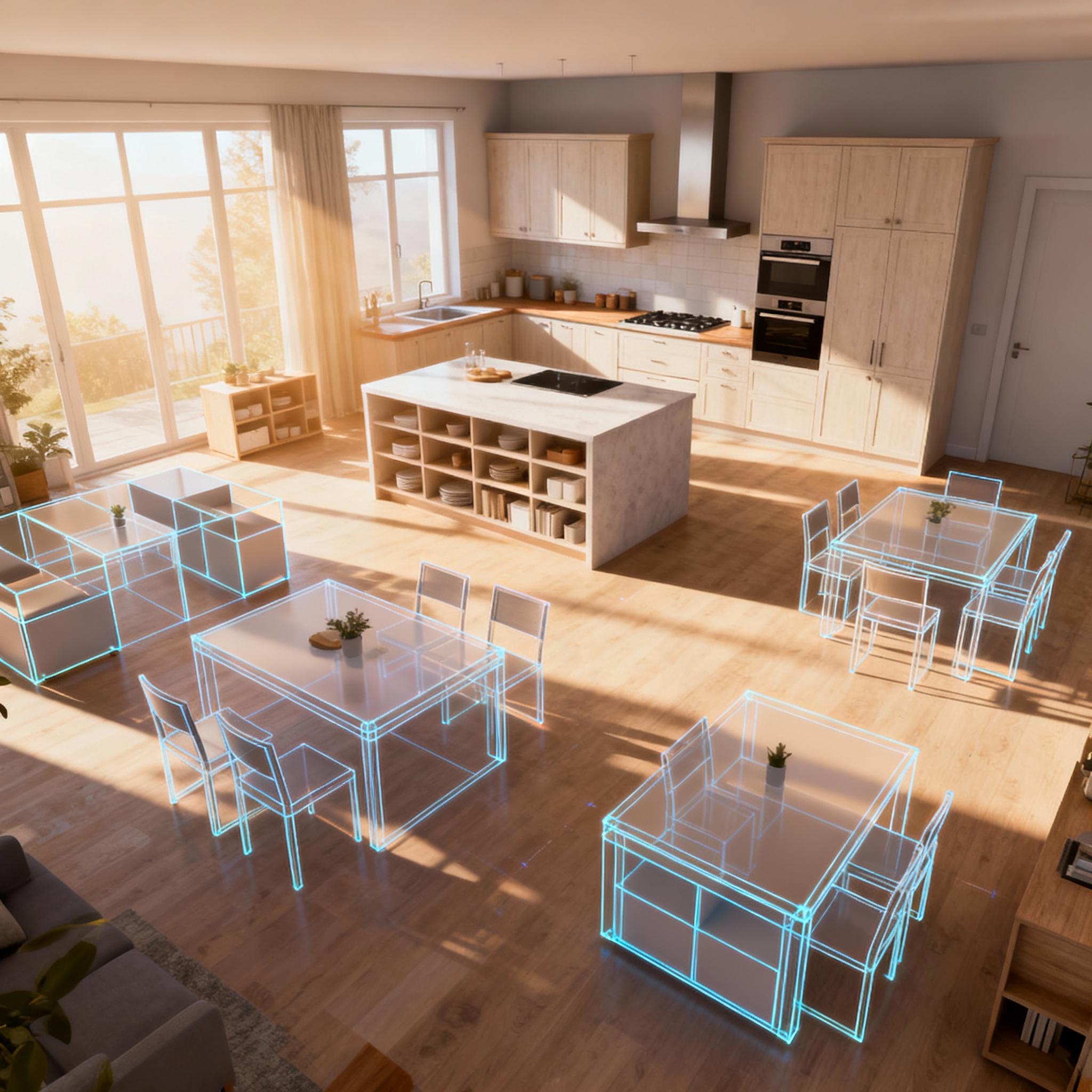
Virtual Staging
Reimagine your kitchen with new layouts, furniture, and decor staged directly onto your uploaded photo, so you can compare configurations before any physical change.
Feature · 02
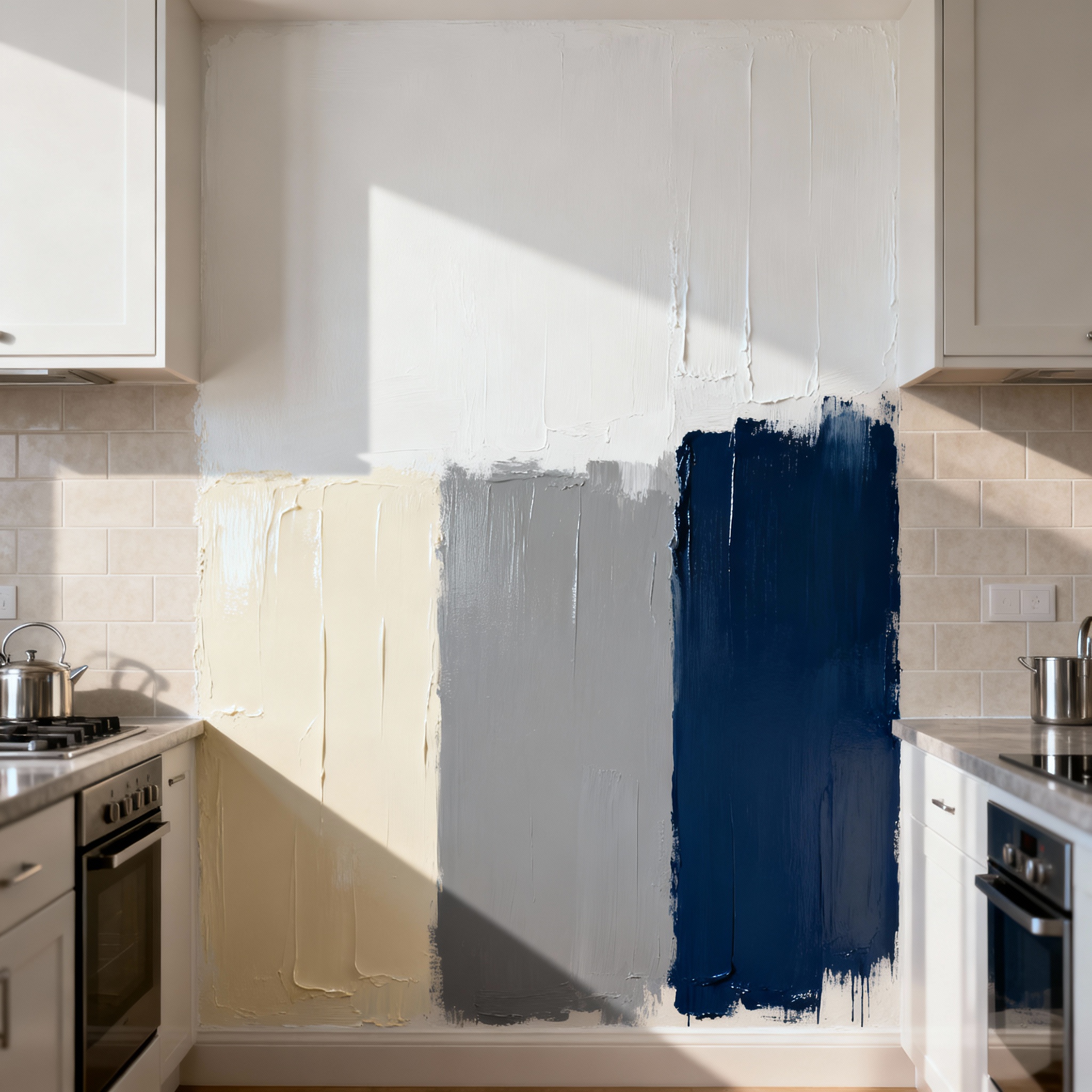
Wall Paint Previews
Preview wall colors and finishes on your own kitchen photo to see how a repaint would actually look in your space, not a generic showroom render.
Feature · 03
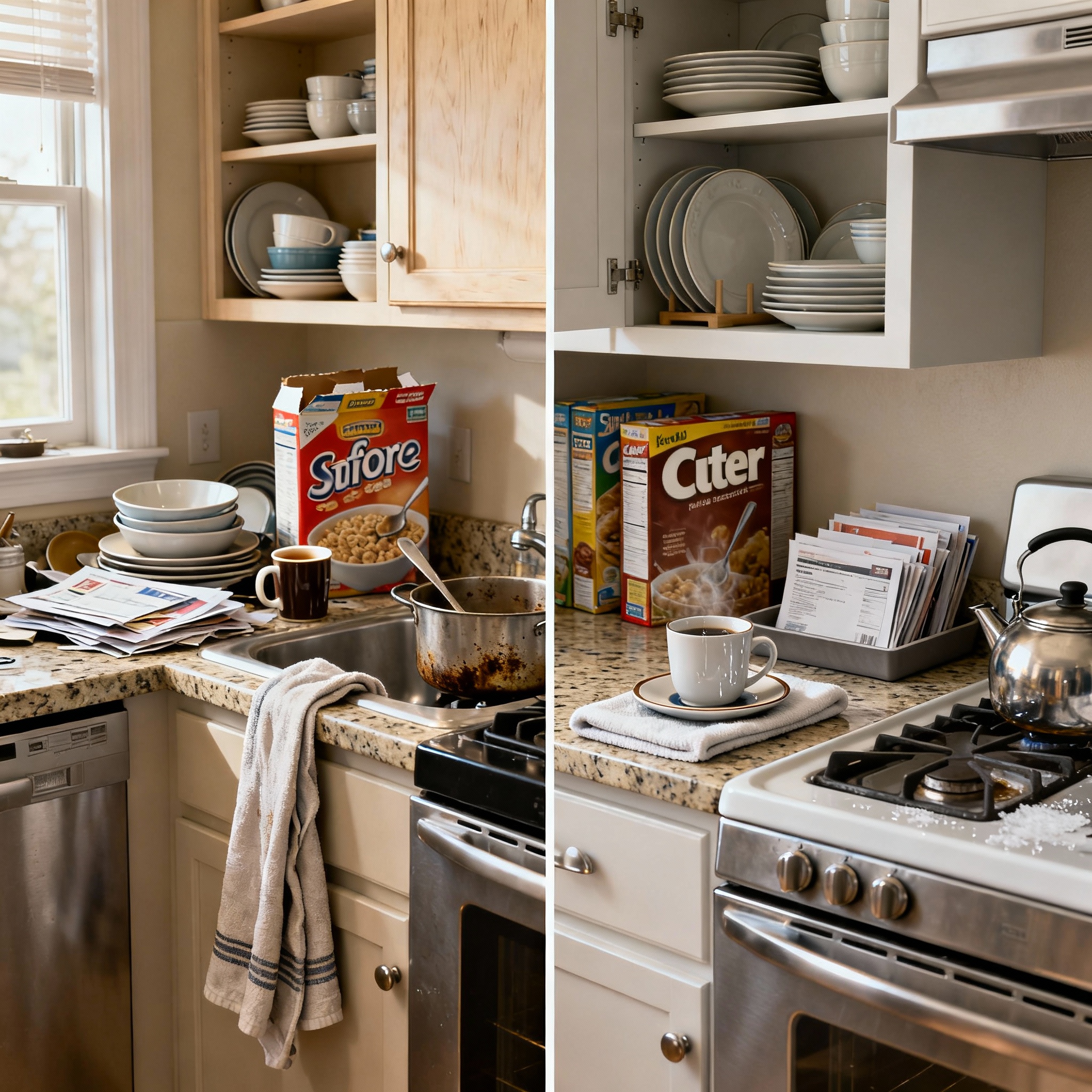
Clutter Cleanup
Remove countertop clutter and unwanted objects from your kitchen photo automatically, so the remodel concept reads clean and easy to evaluate.
Feature · 04
Upscale Visuals
Generated concepts are upscaled for clarity, so details like cabinet finishes and countertop material read clearly instead of blurry or low-resolution.

FAQ
Kitchen Remodel AI: Kitchen Visualizer Using Your Photo, answered.
Updated April 2026
Kitchen Remodel AI is a kitchen visualizer that uses your own photo: upload a picture of your kitchen and Renovate AI generates realistic remodel concepts - new layouts, paint, and staging - without a real renovation or design software.
Yes. Kitchen Remodel AI works from a photo you upload, not a stock kitchen template, so every concept reflects your actual layout, cabinets, and lighting.
Virtual staging applies different layouts and furnishings to your existing kitchen photo, giving you a realistic preview of potential remodels before committing to any changes.
Yes - try different wall paint colors and finishes on your uploaded photo to see how each option changes your kitchen's look.
Yes, one click removes clutter from your kitchen photo automatically, giving you a cleaner base image to evaluate remodel concepts against.
No. Kitchen Remodel AI runs in your browser and needs nothing beyond a photo - no CAD, no design software, and no experience required.



Kitchen Remodel AI: Kitchen Visualizer Using Your Photo is a render away.
Start for free. No card, no commitment. See your space the way it could be before you commit to the way it will be.
Try Kitchen Remodel AI: Kitchen Visualizer Using Your Photo free →Available on the App Store. Android coming soon.
Free trial
See your space