
Best Free Virtual Staging AI Tools for Real Estate in 2026

Picture a vacant living room at golden hour, the floor still bare, the walls waiting. A free virtual staging AI tool can fill that quiet space with a sofa, a rug, a hint of warmth, all before your next showing. This guide ranks seven options for 2026, weighed against image realism, free-tier generosity, turnaround speed, and MLS compliance. AI Renovation leads the list, followed by six alternatives worth a careful look before any paid commitment.
How We Ranked These Free Virtual Staging AI Tools
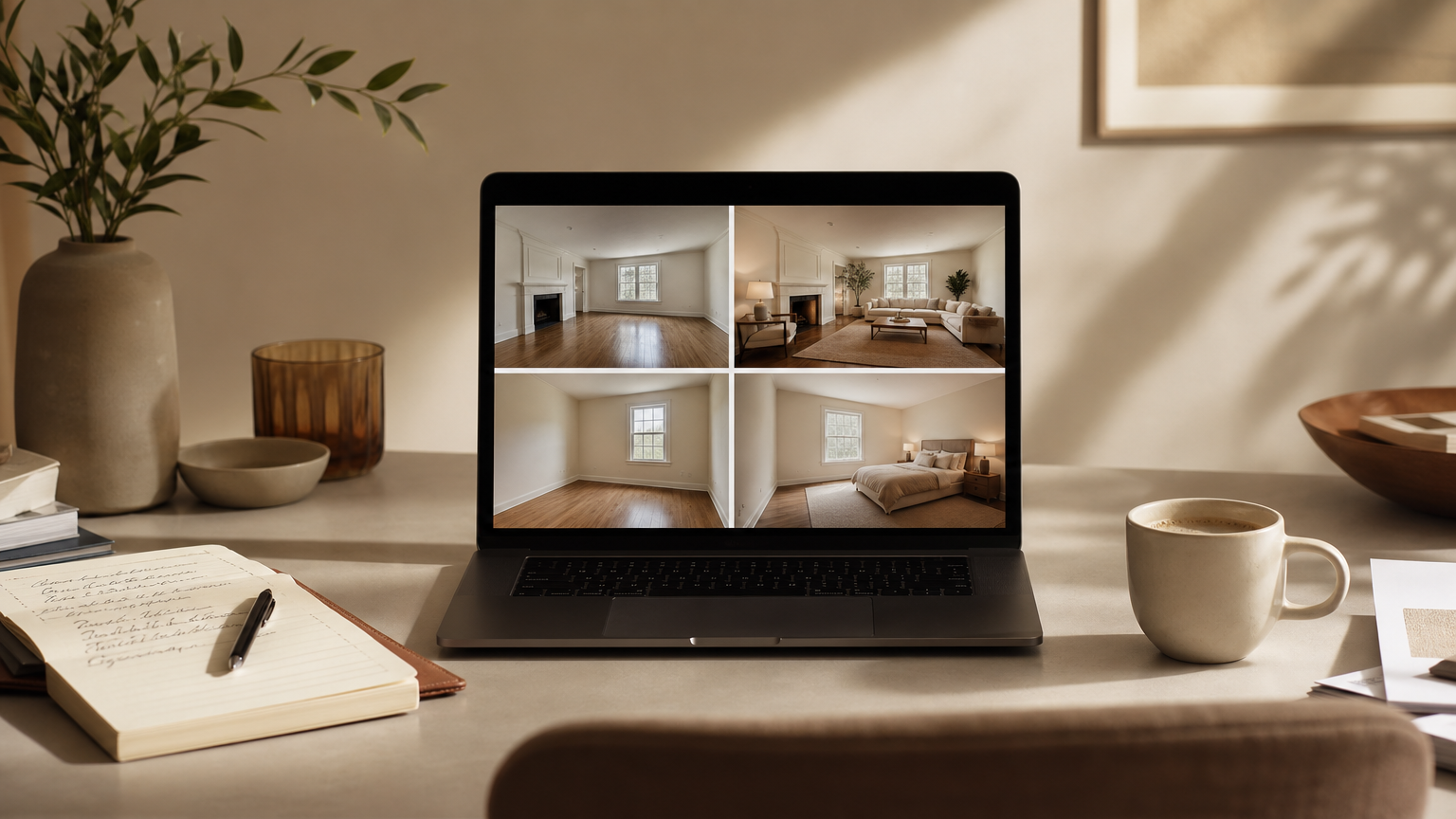
Free does not mean forgiving. A staged photo lives on the MLS, on Zillow, on a buyer's phone at midnight, and any awkward shadow or warped chair leg invites distrust. We tested each platform with the same furnished living room and the same empty bedroom, then compared results against the kind of AI home staging output a buyer would scroll past without questioning.
Four criteria shaped the ranking:
- Image realism. Furniture scale, lighting direction, and shadow softness had to match the original photograph. Anything that read as *almost right* failed.
- Free-tier generosity. We scored each tool on whether a credit card or signup was required, how many free images were included, and whether watermarks appeared on the output. Tools with a true free interior design generator experience scored highest.
- Turnaround speed. Some tools deliver in 10 to 15 seconds; others need 10 minutes. For active listing workflows, faster wins.
- MLS compliance. AI staging must not alter room layout, dimensions, or structural features. Furniture in, furniture out, walls untouched.
We also weighed design-style variety. A tool with 40-plus styles lets an agent choose Scandinavian for an urban condo or Traditional for a suburban family-home presentation; a tool with eight styles forces compromises.
Takeaway: rank free tools by realism first, free-tier honesty second, and speed third. Style variety is the tiebreaker.
Quick Summary of the Best Free Virtual Staging AI Tools
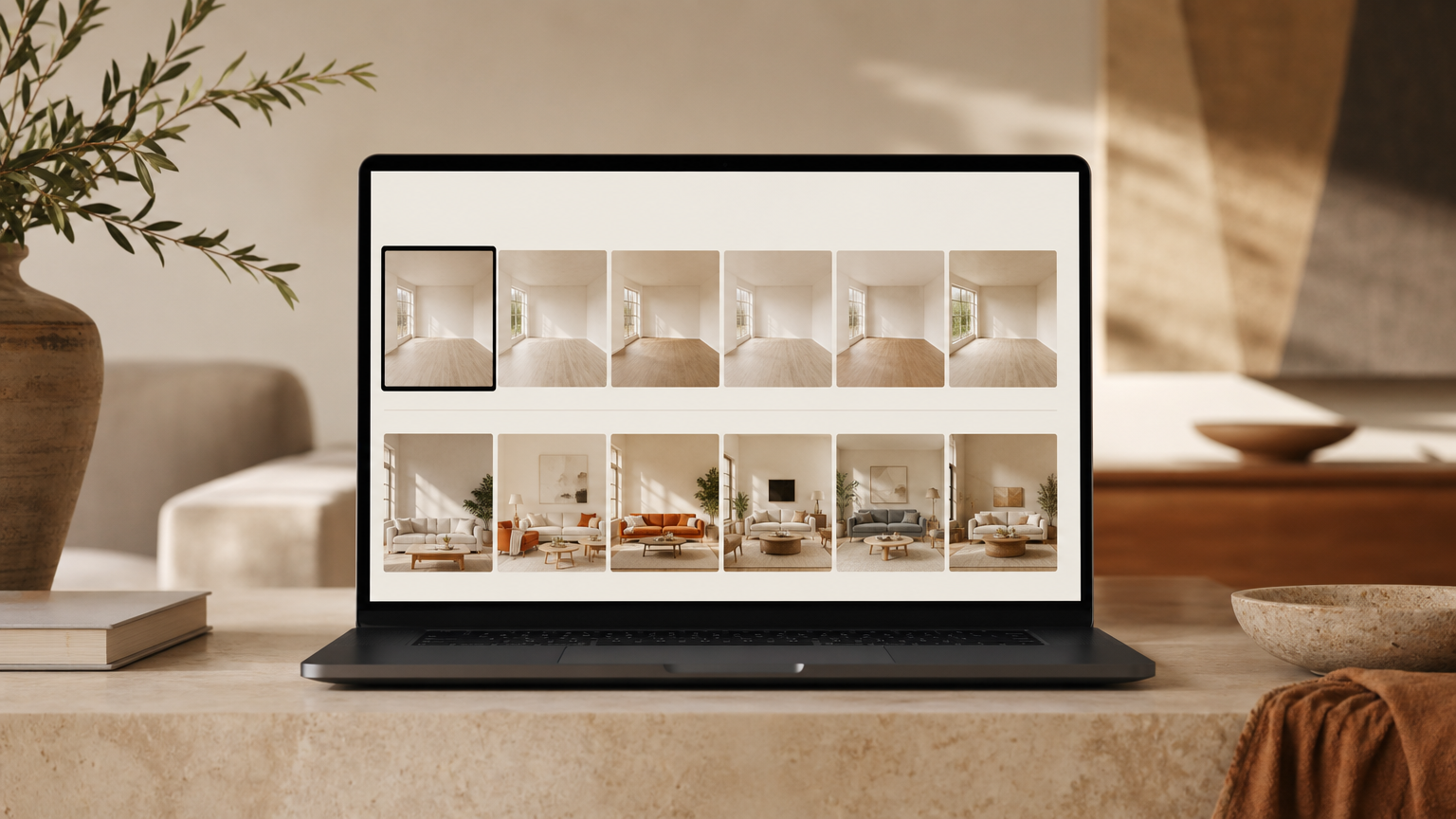
A one-line look at each pick, ordered the way we'd recommend trying them. The full AI Renovation toolset sits at the top of the list for a reason.
- AI Renovation, Best Overall. Free access, photoreal output, agent-friendly workflow.
- Virtual Staging AI (virtualstagingai.app), Best for Speed. No signup, 15-second renders, 50-plus styles.
- Apply Design, Best for Customization. 18,000-piece furniture catalog and a drag-and-drop editor.
- FloorDesign AI, Best Fully Free Option. No signup, 80-plus room types, 40-plus styles.
- REimagineHome, Best for Room Variety. Rated best overall by HousingWire's 2026 review.
- Collov AI, Best for Affordability. Free tier available; watermark on free outputs.
- Canva AI Interior Styler, Best for Occasional Use. Lives inside Canva for agents already there.
Takeaway: if you stage fewer than five listings a month, start with options 1, 2, or 4. Higher volume agents should test 1, 3, and 5 side by side.
Top Free Virtual Staging AI Tools Reviewed
1. AI Renovation, Best Overall
AI Renovation pairs photorealistic rendering with a workflow built around how agents actually work: upload, choose a style, regenerate, download. The platform supports vacant and furnished photos, holds room layout steady for MLS-safe output, and offers a deep library of interior styles. Agents can also branch into exterior renderings for curb-appeal shots, which most staging-only tools cannot do. Free access lets you test the full quality before paying. The one caveat: heavy users will eventually want a paid plan for unlimited regenerations.
2. Virtual Staging AI (virtualstagingai.app), Best for Speed

Virtualstagingai.app delivers staged images in roughly 15 seconds and accepts both furnished and unfurnished photos, with furniture-removal built in. It supports 50-plus design styles and claims explicit MLS compliance, meaning room layout is left untouched. Paid plans start at $16 a month for six images, which undercuts most per-image agency pricing. You can try it with no signup and no credit card, which is rare in this category. Comparable to a quick AI interior preview when you need same-day listing prep. Weakness: limited multi-angle consistency across rooms of the same property.
3. Apply Design, Best for Customization

Apply Design takes about 10 minutes per render but rewards the wait with control. Its catalog runs to 18,000-plus furniture pieces, and its multi-angle consistency feature keeps the same sofa and rug visible across several shots of one living room. DIY editing is priced at $7 per image; AI-generated staging drops as low as $0.50 per image at volume. For photographers serving multiple agents who need cohesive property-marketing visuals, this is the tool to beat. Weakness: the longer rendering window does not fit a 9 a.m. listing emergency.
4. FloorDesign AI, Best Fully Free Option

FloorDesign AI offers a no-signup free start, 80-plus room types (including hotel lobby, wine cellar, and rooftop terrace), and 40-plus design styles. The breadth is genuinely useful for short-term-rental hosts and commercial agents who need to stage spaces beyond the standard living-room-and-bedroom pair. It pairs well with an AI floor plan workflow when you're presenting an unbuilt or remodeled space. Weakness: the photoreal output, while strong, can soften on complex furnished input photos.
5. REimagineHome, Best for Room Variety
HousingWire's 2026 round-up selected REimagineHome as best overall after testing the same furnished living room across major platforms. It handles a wide range of room types and includes a free tier, though some free renders carry a watermark. Agents who want a single tool to cover unusual spaces, from sunrooms to home offices to a small AI-generated home walkthrough, will appreciate the coverage. Weakness: the free-tier watermark limits direct MLS use until you upgrade.
6. Collov AI, Best for Affordability
Collov AI is priced aggressively and includes a free path in, with HousingWire flagging a watermark on free outputs. For client previews, social media drafts, or internal pitch decks, the watermark is a non-issue. For final MLS uploads, you'll need to upgrade. The styling tilts modern and Scandinavian, which suits urban listings; results soften on traditional rooms with heavier moldings. A useful complement to a broader AI-for-home toolkit rather than a standalone choice.
7. Canva AI Interior Styler, Best for Occasional Use

If you already live inside Canva, the built-in Interior Styler covers the occasional staging job without forcing you to open another app. Output quality trails the dedicated tools, and you won't find the same depth of room types or styles, but the convenience is real. It pairs naturally with brochure and social-post design, and complements an agent's broader AI home tools stack. Weakness: not suited to high-volume listing workflows.
At a Glance, Feature Comparison Table
A side-by-side of the seven picks, drawing on testing notes and published vendor information. Cross-check against your own pricing and plan needs before subscribing.
| Tool | Free tier | Turnaround | Watermark on free | Design styles | Notable strength |
|---|---|---|---|---|---|
| AI Renovation | Yes, full access | Fast | No | 40+ | Agent workflow, interior + exterior |
| Virtual Staging AI | Yes, no signup | ~15 sec | No | 50+ | Explicit MLS compliance |
| Apply Design | Free trial | ~10 min | Varies | Broad | 18,000+ furniture pieces |
| FloorDesign AI | Yes, no signup | Fast | No | 40+ | 80+ room types |
| REimagineHome | Yes | Moderate | On some renders | Broad | Best overall per HousingWire |
| Collov AI | Yes | Fast | Yes | Modern-leaning | Lowest paid tier |
| Canva AI Interior Styler | Within Canva free | Fast | No | Limited | Lives in existing workflow |
Takeaway: no single tool wins on every column. Match the column you care about most to the listing you're staging this week.
What to Look for in a Free Virtual Staging AI Tool

Before locking into a workflow, audit the tool against five criteria. Most of these mirror what an experienced interior design AI evaluator would test for.
- Photorealism. Shadows should fall in the direction the original window light suggests. Furniture should sit on the floor, not float above it. Scale should match the room's actual proportions.
- Free-tier limits. One free image per month is impractical for active agents. Look for tools that let you generate at least a handful of images before asking for payment.
- MLS compliance. The output must not move walls, change ceiling height, or invent windows. Confirm in writing where you can.
- Design-style variety. Scandinavian for urban condos, Traditional for suburban family homes, Quiet Luxury for higher-end listings. A narrow style list forces every listing to look the same.
- Turnaround speed. A 15-second tool fits same-day listing prep. A 10-minute tool requires planning. Pick to your calendar, not to the marketing copy.
Takeaway: photorealism and MLS compliance are non-negotiable. Everything else is preference.
How to Choose the Right Free Virtual Staging AI Tool for Your Listings

Match the tool to the practice, not the other way around. High-volume agents should prioritize generous free tiers or low per-image pricing under $1, then graduate to a paid plan once volume justifies it. The AI Renovation home page is a useful starting point for agents who want a single subscription covering interiors, exteriors, and remodel previews.
Photographers serving multiple agents benefit most from multi-angle consistency, which Apply Design specifically advertises. Agents marketing luxury properties should test each tool's *quiet luxury* output before committing, since the term means different things to different models. Social-media-focused agents may appreciate platforms that also generate short video clips alongside staged stills. And for fewer than five listings per month, a no-signup option like FloorDesign AI is genuinely enough, with no paid commitment required.
A practical pairing for many teams: a fast staging tool for daily listings, plus a broader home renovation design platform for the occasional fixer-upper or pre-renovation pitch.
Takeaway: decide by volume and listing type, not by feature lists.
Frequently Asked Questions
Is there a completely free virtual staging AI tool with no watermark?
Yes. FloorDesign AI and Virtualstagingai.app both let you generate staged images without a watermark on the free tier, no signup required. AI Renovation also offers free access without watermarking output for standard staging tasks.
How realistic does free AI virtual staging look compared to professional staging?
Modern free AI staging is close enough that most buyers cannot tell. Lighting, shadows, and furniture scale read as authentic in top tools. Professional human staging still wins on bespoke styling, but the price gap is significant.
Are AI-staged photos MLS compliant?
They can be, provided the AI does not alter walls, windows, ceilings, or room dimensions. Virtualstagingai.app explicitly claims MLS compliance. Most MLS boards require staged photos to be disclosed as virtually staged in the listing description.
How long does AI virtual staging take?
Turnaround ranges from roughly 10 to 15 seconds for the fastest tools, like Virtualstagingai.app, to about 10 minutes for higher-control platforms like Apply Design. Most agents will find a 15-to-60-second turnaround sufficient for daily listing prep.
Can I use free virtual staging AI for furnished rooms or only empty ones?
Both. Most leading tools, including Virtualstagingai.app, Apply Design, and FloorDesign AI, support furnished photos with built-in furniture removal before restaging. Empty rooms typically render faster and with fewer artifacts than heavily furnished originals.
What is the best free virtual staging AI tool for real estate agents in 2026?
AI Renovation ranks first for its blend of free access, photorealistic output, and agent workflow. Virtualstagingai.app and FloorDesign AI follow closely, each offering no-signup free use. REimagineHome is HousingWire's editorial pick.
Do free virtual staging AI tools require a credit card or signup?
Not always. FloorDesign AI and Virtualstagingai.app let you upload and generate without an account or credit card. Apply Design requires signup for its free trial. Collov AI's free tier requires account creation and applies a watermark.
How much does it cost to upgrade from a free AI virtual staging plan?
Entry-level paid plans start around $16 a month for six images at Virtual Staging AI. Apply Design's DIY editor is $7 per image, and its AI-generated option drops to roughly $0.50 per image at scale. Most agents recover the cost within a single listing.
A Quieter Close
Virtual staging used to feel like a compromise. It no longer does. The free tools available in 2026 can fill an empty room with light, proportion, and a sofa that looks like it was always meant to be there. Start with one or two of the picks above, stage your next vacant listing, and watch how buyers respond. When you're ready to bring interiors, exteriors, and remodel concepts under one roof, the AI Renovation platform is built for exactly that next step. Picture the space. Then let your buyer picture themselves inside it.
---
*Built with The SEO Agent.*
Ready to get started? Try our Redecorate Room, or Virtual Staging.