
What Is Virtual Staging AI and How Does It Work for Agents?

Picture a vacant living room: pale oak floors, a north-facing window, the quiet hum of an empty house waiting to be sold. Within fifteen seconds, that same room can hold a linen sofa, a wool rug, and a brass floor lamp catching the afternoon light. That is the promise of virtual staging AI, and tools like AI Renovation make it available to any agent with a listing photo and a coffee break. This guide explains how the technology actually works, what it costs, and why it is reshaping the way modern listings are presented to buyers.
Definition: What Virtual Staging AI Actually Means
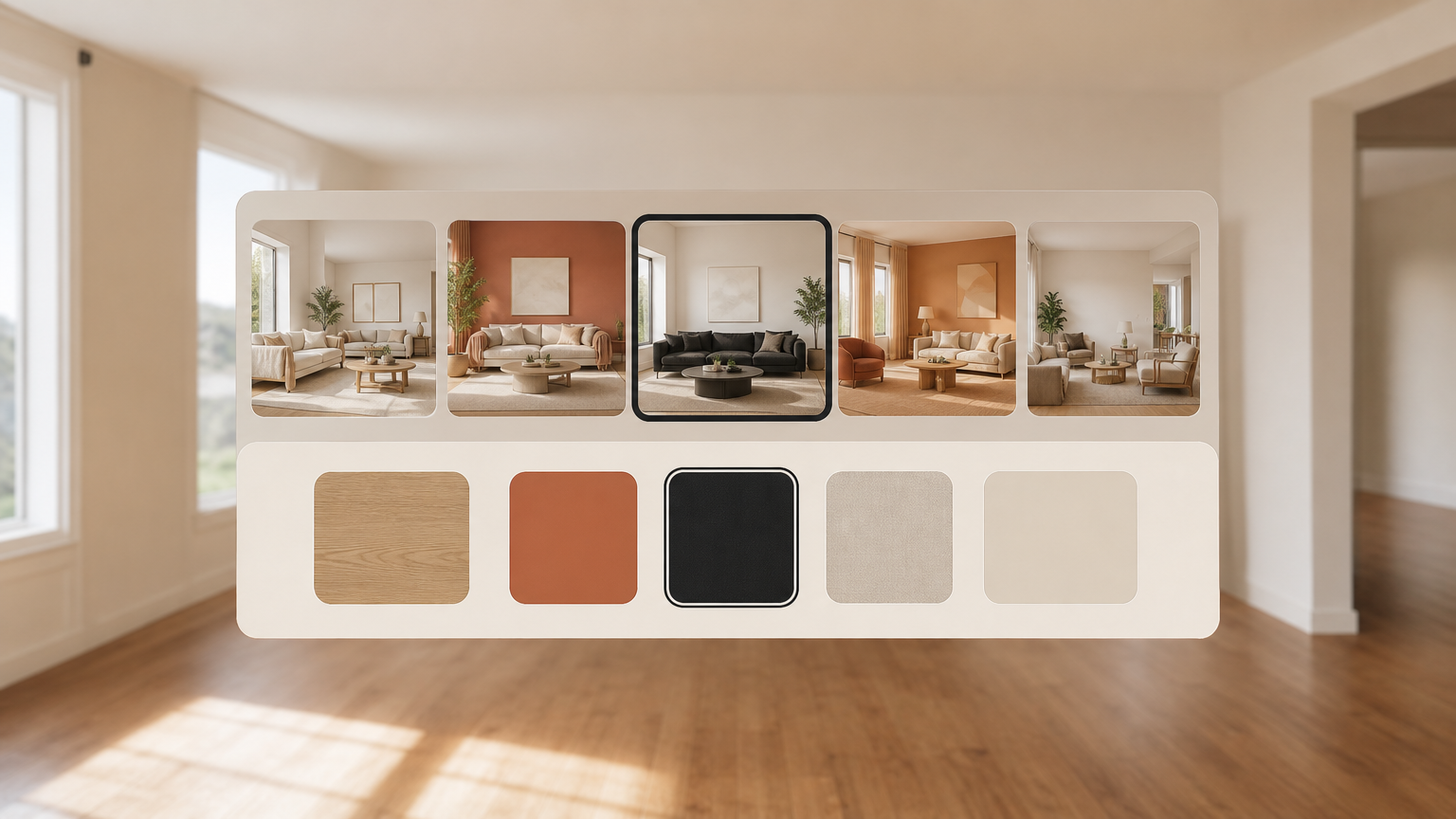
Virtual staging AI is a category of software that uses computer vision and generative machine learning models to detect a room's geometry, then place photorealistic furniture, art, and decor into the original photo. The output is a single staged image, not a 3D model or a video. The room's bones stay; only the furnishings layer is invented. Readers exploring the broader virtual staging category will find that AI is one branch of a longer-running discipline.
How It Differs from Traditional Virtual Staging
Traditional virtual staging is a manual craft. A human designer opens a 3D editor, models furniture against the photo's perspective, renders the scene, and emails the result back, often after two or three days. Pricing typically runs $50 to $150 per image. AI staging compresses that loop to under a minute and can drop the per-image cost below three dollars, depending on the subscription. The mechanics behind generative AI image models are what make that compression possible.
Key Terms Agents Should Know
A *diffusion model* is the generative architecture most modern staging tools use; it learns to reconstruct images from noise, conditioned on a style prompt. *Item removal* is the preliminary step that clears existing furniture before re-staging. *Design style selection* is the menu, often Scandinavian, modern, farmhouse, industrial, that tells the model which aesthetic to render. Agents new to furniture removal tools should know it is usually included rather than charged separately.
In plain English: virtual staging AI looks at an empty room photo and paints furniture into it, fast and cheaply, without touching the walls or floor.
How Virtual Staging AI Works Step by Step

The workflow is short enough to learn in a single listing. Most platforms reduce it to three stages, each handled inside the browser. For a deeper procedural walkthrough, our upload guide covers file preparation in detail.
Step 1: Photo Upload and Room Analysis
The agent uploads a high-resolution JPEG or PNG. The model analyzes perspective lines, light sources, and spatial boundaries before generating anything, mapping where the floor meets the walls and where windows sit. This invisible step is what protects the room's proportions later. Compliance-conscious agents can review MLS photo requirements to confirm their source images qualify.
Step 2: Style Selection and AI Generation
Next, the agent picks from a library of thirty to fifty design styles, modern, luxury, Scandinavian, mid-century, transitional, and the model renders furniture placement that matches that aesthetic. Some platforms accept a custom mood board upload, letting the AI replicate a specific look for a particular buyer demographic. Agents staging for niche audiences can explore custom style uploads to tune the output further.
Step 3: Download and Listing Use
Generated images arrive in fifteen to sixty seconds, compared with twenty-four to seventy-two hours for human-designed virtual staging. Files are watermark-free, full-copyright, and ready for the MLS, with an optional "Virtually Staged" label for transparency. After download, agents move directly to publishing the staged photo on Zillow, the MLS, or social channels.
Takeaway: the agent's only manual steps are uploading, choosing a style, and downloading. Everything between is handled by the model.
Why It Matters: The Business Case for Agents

Staging is no longer optional in competitive markets, and AI has changed the math behind it. The case rests on three numbers: buyer interest, sale speed, and cost. A closer look at staging return on investment shows why even budget-conscious agents now factor staging into every listing.
Impact on Buyer Interest and Sale Speed
According to the National Association of Realtors 2023 Profile of Home Staging, 83% of buyer's agents say staging makes it easier for buyers to visualize a property as their future home. Industry data also suggests virtually staged properties can sell up to 73% faster and command roughly 20% higher offers. Twilight conversions, a related AI feature, lift listing views by an estimated 35%. These are the benchmarks behind faster-sale benchmarks agents quote in listing pitches.
Cost Comparison vs. Physical and Traditional Virtual Staging
| Method | Typical Cost | Turnaround |
|---|---|---|
| Physical staging | $1,500–$5,000 per property | 1–2 weeks |
| Traditional virtual staging | $50–$150 per image | 1–3 days |
| Virtual staging AI | $0.28–$2.67 per image | 15–60 seconds |
Subscription plans start near $16 a month for six images, putting the technology within reach of solo agents and small brokerages. A complete view of subscription pricing helps match plan size to monthly listing volume.
Takeaway: AI staging is roughly fifty to one hundred times cheaper than the physical alternative and meaningfully faster than the human-rendered version.
Common Misconceptions About Virtual Staging AI
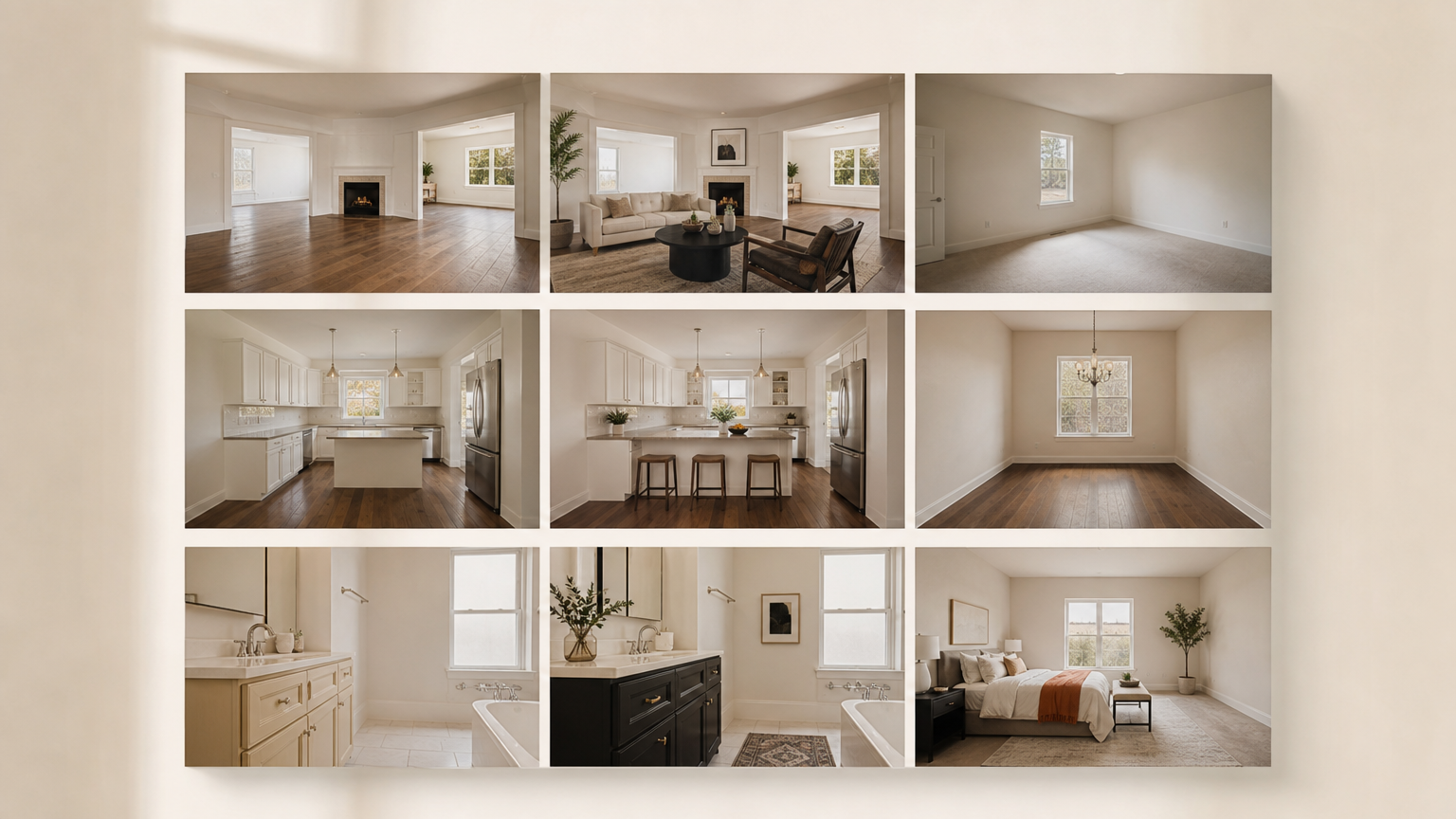
Three myths come up repeatedly in agent conversations, and each deserves a clean answer. For more before-and-after evidence, the staged-image gallery shows real outputs across room types.
Misconception: AI Changes the Room Layout
Reality: quality AI staging tools are engineered to leave walls, floors, windows, and proportions untouched. The model edits only the furnishings layer, preserving the buyer's ability to read the actual space. Agents worried about visual accuracy can compare an unstaged source against the output side by side to verify.
Misconception: Staged Photos Violate MLS Rules
Reality: the MLS requires disclosure, not prohibition. Adding a "Virtually Staged" label satisfies compliance on every major platform, including Zillow, which launched its own AI-powered virtual staging feature for Showcase listings in September 2025. The current state of MLS disclosure rules is straightforward to follow.
Misconception: AI Quality Is Noticeably Inferior to Human Staging
Reality: modern diffusion-based models produce photorealistic shadows, soft reflections, and material textures that are difficult to distinguish from professional photography on a screen. Unlimited regeneration features mean agents can iterate through several variants in seconds at no extra cost, a quiet advantage covered in unlimited regenerations feature.
Related Concepts: AI Tools That Work Alongside Virtual Staging
Virtual staging rarely travels alone. A cluster of adjacent AI tools, sharing the same underlying computer vision pipeline, supports the broader listing photo set. The full picture of AI listing photo enhancement shows how these features compound.
Sky Replacement and Twilight Conversion
Sky replacement swaps overcast skies for blue ones; twilight conversion turns a midday exterior into a dusk shot in seconds. Both rely on the same scene-segmentation models that power interior staging. Listings using sky replacement often see meaningfully higher click-through rates on portals.
Item Removal and Decluttering
Item removal AI clears cluttered or furnished rooms before re-staging, which lets agents relist occupied properties without scheduling a new shoot. This is especially useful for tenant-occupied homes where physical staging is impossible. The mechanics of AI item removal are simple enough to learn in a single afternoon.
Floor Plan, Tour, and Exterior Tools
360-degree virtual tour platforms can incorporate AI-staged stills to create interactive walkthroughs, while pool water enhancement and lawn replacement smooth out tired curb-appeal photos. Together with virtual tour software, they form a complete listing-presentation toolkit.
How to Get Started with Virtual Staging AI as an Agent
Onboarding is lighter than most agents expect. The barrier is not technical; it is choosing the right plan and the right platform. A practical agent onboarding guide walks through the first week.
What You Need Before Your First Upload
A smartphone or DSLR photo of the empty or occupied space is enough. Most platforms accept JPEG and PNG with no minimum resolution requirement, though higher resolution produces noticeably crisper output. A free trial is usually available without a credit card, so testing output quality costs nothing.
Choosing the Right Plan and Platform
Evaluate platforms on five criteria: turnaround speed, design style library size, MLS compliance labeling, whether item removal is included, and whether unused credits roll over month to month. Non-expiring credits matter for agents with irregular listing volume. A side-by-side platform comparison can save several months of trial-and-error.
For agents managing a portfolio, look for bulk-staging workflows that process multiple rooms in one session. A well-structured bulk staging workflow trims hours off every multi-room listing and keeps presentation consistent across an entire property.
Frequently Asked Questions
What is virtual staging AI and how does it work?
Virtual staging AI uses computer vision and diffusion models to detect a room's geometry from a photo, then render photorealistic furniture into the empty space. Agents upload an image, pick a style, and download the staged result. More on how diffusion models work for the curious.
Is AI virtual staging MLS compliant?
Yes, provided the staged image is disclosed. Major MLS platforms and Zillow require a "Virtually Staged" label rather than prohibiting the practice outright. Most AI tools add the label automatically. Review current MLS disclosure rules before publishing.
How much does virtual staging AI cost per image?
Per-image pricing typically runs from $0.28 to $2.67, depending on the subscription tier and credit volume. Entry-level plans start near $16 a month for six images, dramatically below the $50 to $150 charged for traditional virtual staging. Compare full pricing tiers for specifics.
How long does AI virtual staging take?
Most platforms deliver a finished image in fifteen to sixty seconds, compared with twenty-four to seventy-two hours for human-rendered virtual staging. The speed comes from running inference on cloud GPUs rather than a designer's workstation. See listing photo workflow for ideal timing.
Can AI virtual staging be used on occupied rooms with existing furniture?
Yes. Item removal AI clears the existing furniture first, leaving a clean room the model can re-stage. This is particularly useful for tenant-occupied or seller-occupied homes where physical staging is impractical. Details on furniture removal explain the workflow.
How realistic is AI virtual staging compared to traditional virtual staging?
On a screen, the difference is now hard to spot. Modern diffusion models render shadows, reflections, and material textures with high fidelity. Human-designed staging may still edge ahead for unusual rooms or bespoke styling, but the gap is narrowing quickly. The before-and-after gallery shows representative output.
What design styles are available in virtual staging AI tools?
Most platforms offer thirty to fifty preset styles, including modern, Scandinavian, industrial, mid-century, farmhouse, luxury, transitional, and bohemian. Some allow custom mood board uploads to match a specific buyer demographic. Browse the full style library to see options.
Do I own the copyright to AI-staged images I generate?
Yes, with reputable platforms. Agents receive full copyright to generated images, including the right to use them on the MLS, in print, and on social channels, even if they later request a refund. Check the specific terms in your platform's licensing policy.
A Quieter, Faster Way to Present a Listing
Virtual staging AI is not about flash; it is about giving an empty room the warmth a buyer needs to imagine living there, in the time it takes to refill a coffee cup. For agents, that means lower costs, faster turnarounds, and listings that hold their own against fully furnished competition. Tools like AI Renovation let you test the workflow with a single photo, no credit card, and decide for yourself whether the output earns a place in your listing process. Picture your next vacant room, then picture it staged. The distance between the two is now about fifteen seconds.
Ready to get started? Try our Redecorate Room, or Virtual Staging.